The game
Kambeng Hunter combines tile-based exploration with boss encounters. Players navigate obstacles, collect items and find the exit, defeating a boss before progressing to the next level. The project was developed by a four-person team using the supplied SP1 Windows console framework.
Undertale had come out relatively recently and inspired the combat: choose an action, then move around a small arena to dodge the enemy’s attacks.
Contribution
Responsible for the design and implementation of the complete combat system, including attack and defend choices, player statistics, damage calculations, enemy attack patterns, projectile behaviour, combat interface and animation.
The work also covered integrating encounters with exploration, handling victory and defeat, and fixing retry behaviour, level transitions and release-build issues. The console renderer, timer and basic application loop came from the teaching framework.
Combat states and timing
Each turn is divided into states for choosing an action, attacking, dodging and showing the result. combat() — preview source code checks the current state and calls the corresponding function.
When the player attacks, attackProcess() — preview source code applies damage to the boss and displays the result for 2.5 seconds. If the boss survives, a 15-second dodge phase begins. At the end of that phase, damage is calculated from the hits taken, followed by a victory or defeat check.
Elapsed-time checks control these transitions. holdtimer() — preview source code sets the end of the dodge phase, and the update functions return while waiting for their deadlines. The main loop can keep updating and rendering during these delays.
Movement and hit detection
symbolMovement() — preview source code moves the player one character cell at a time within an 18 × 8 arena. Each move saves the previous position so a step outside the boundary can be reversed. Successful moves set the next movement time 150 milliseconds ahead, and only one direction is processed at a time.
For Kambeng’s single-character projectiles, checkdamage() — preview source code compares the player’s position directly with each projectile’s position. Larger attacks have their own coordinate checks. Collisions increase a hit counter; health is updated after the dodge phase using the accumulated count. A timer limits how frequently hit checks run, with different intervals for different enemies.
Enemy attack patterns
Projectiles are stored in parallel arrays containing their text, positions and directions. Each enemy has separate functions for generating and moving its attacks.
Enemy::Kambeng() — preview source code prepares 20 projectiles with random entry sides and rows. Enemy::kambengUpdate() — preview source code activates them progressively and moves them horizontally every 150 milliseconds.
Enemy::Skeleton() — preview source code builds two attacks from groups of three text rows. Enemy::Fish() — preview source code uses four rows per projectile, with horizontal and vertical movement in its update logic. The rows move together to form larger shapes.
Enemy::Spider() — preview source code creates a five-row shape that drops through the arena. Enemy::Robot() — preview source code selects safe positions for an electrical attack represented by a grid of character cells.
ASCII animation and rendering
Enemy artwork is loaded from text files into character arrays during initialisation. enemyrender() — preview source code selects the current frame and writes it into the console buffer, alternating between two frames at roughly one-second intervals. Hyphens in the artwork are converted into spaces when drawn.
The combat display draws the boss, action buttons and text box. During an enemy attack, printprojectiles() — preview source code draws the active pattern before the player symbol is drawn over it. Outside that phase, the display shows player statistics and the result of the previous action.
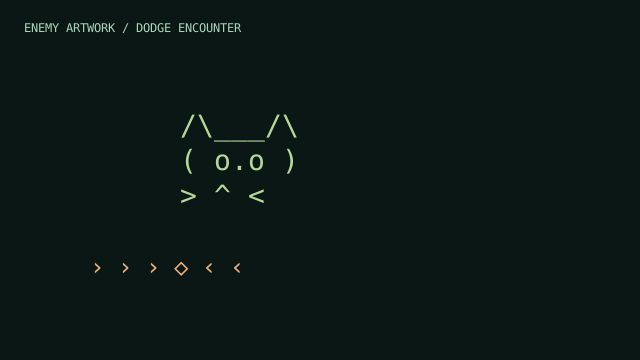 INTERACTIVE PLAYGROUND ↗
Enemies, one character at a time.
Two-frame animations reconstructed from the original console artwork, alternating once per second as in the game. Choose an enemy to preview its artwork.
Open playground ↗Projectile overlap
Projectiles were the hardest part to get right. They could spawn over one another, cross paths during movement and overwrite each other when drawn in the console.
Enemy::Kambeng() — preview source code attempts to reduce overlap by comparing each projectile’s spawn row with the previous one. That check does not account for the rest of the wave or projectiles meeting later. Movement updates each projectile independently, while printprojectiles() — preview source code writes their characters into a shared buffer where later writes can replace earlier ones.
Some overlap remained in the final game. It was an accepted limitation of a first student project. With more experience, spawn placement, movement interactions and drawing order are easier to recognise as separate problems that need their own handling.
Encounter results
combatreloop() — preview source code connects the encounter result back to the game. Winning advances the enemy selection, increases player statistics, restores health and returns to the appropriate campaign or creative-mode loading state. Losing resets combat and level state before switching to the game-over screen.